Ad Layer. A new creative workspace.
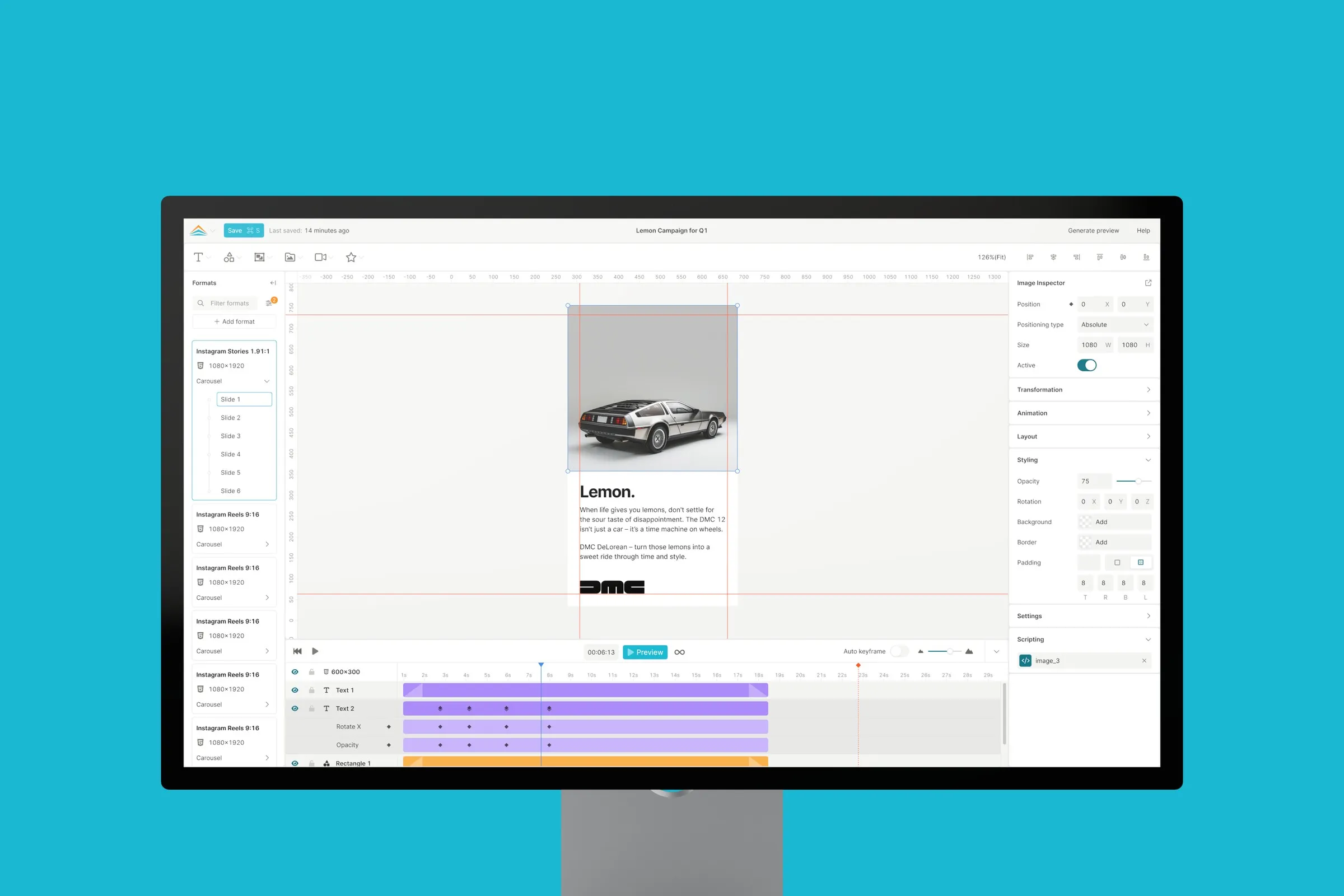
Ad Layer is a Stockholm company with a platform for producing and publishing ads at scale. Ad Builder is where it all starts: you design a template for display, social, video or DOOH, and the platform turns it into lots of ad versions across formats and markets.
Between 2023 and 2025 I gave Ad Builder a completely new UI and helped shape parts of the UX.
A canvas that feels familiar
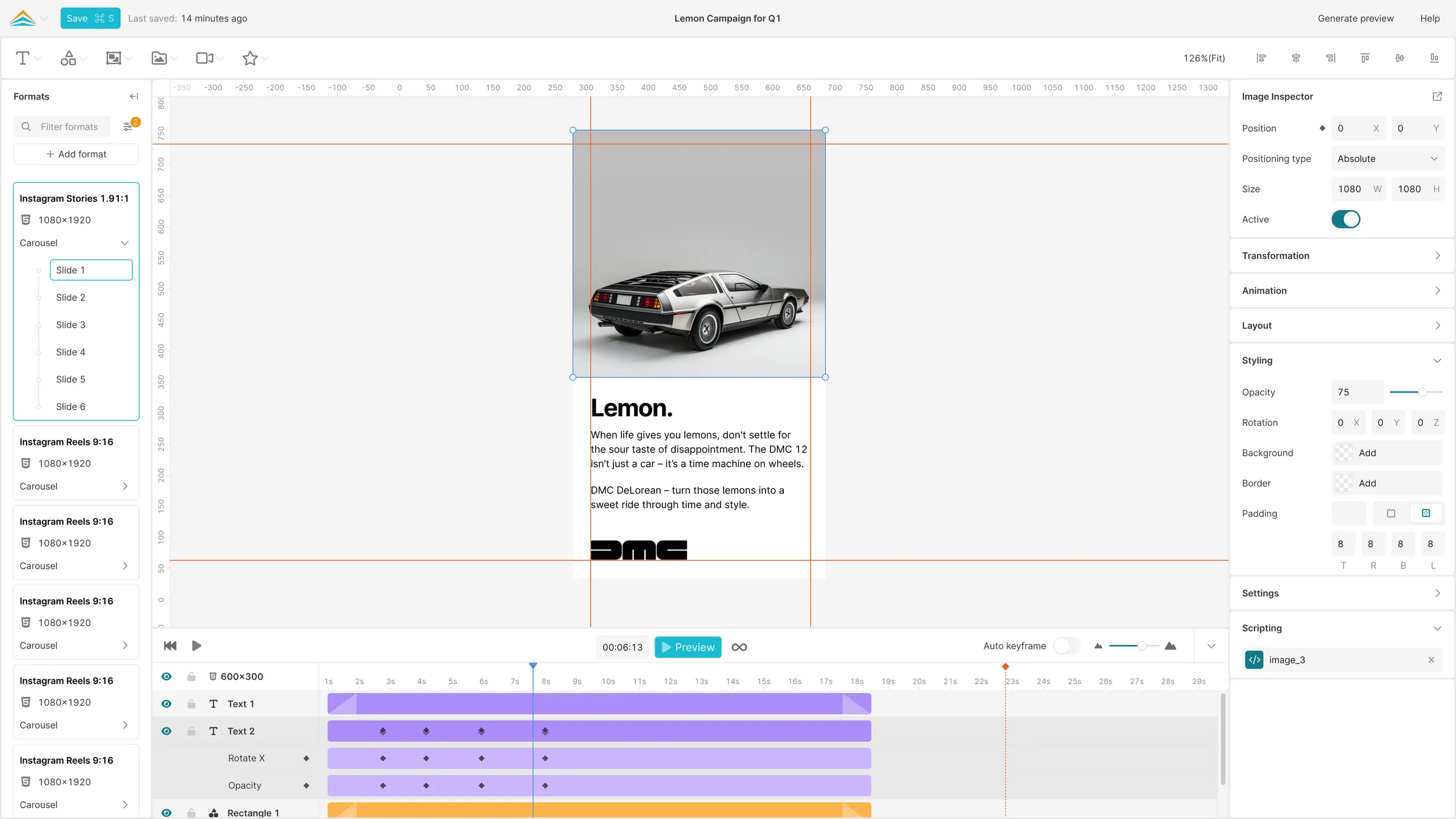
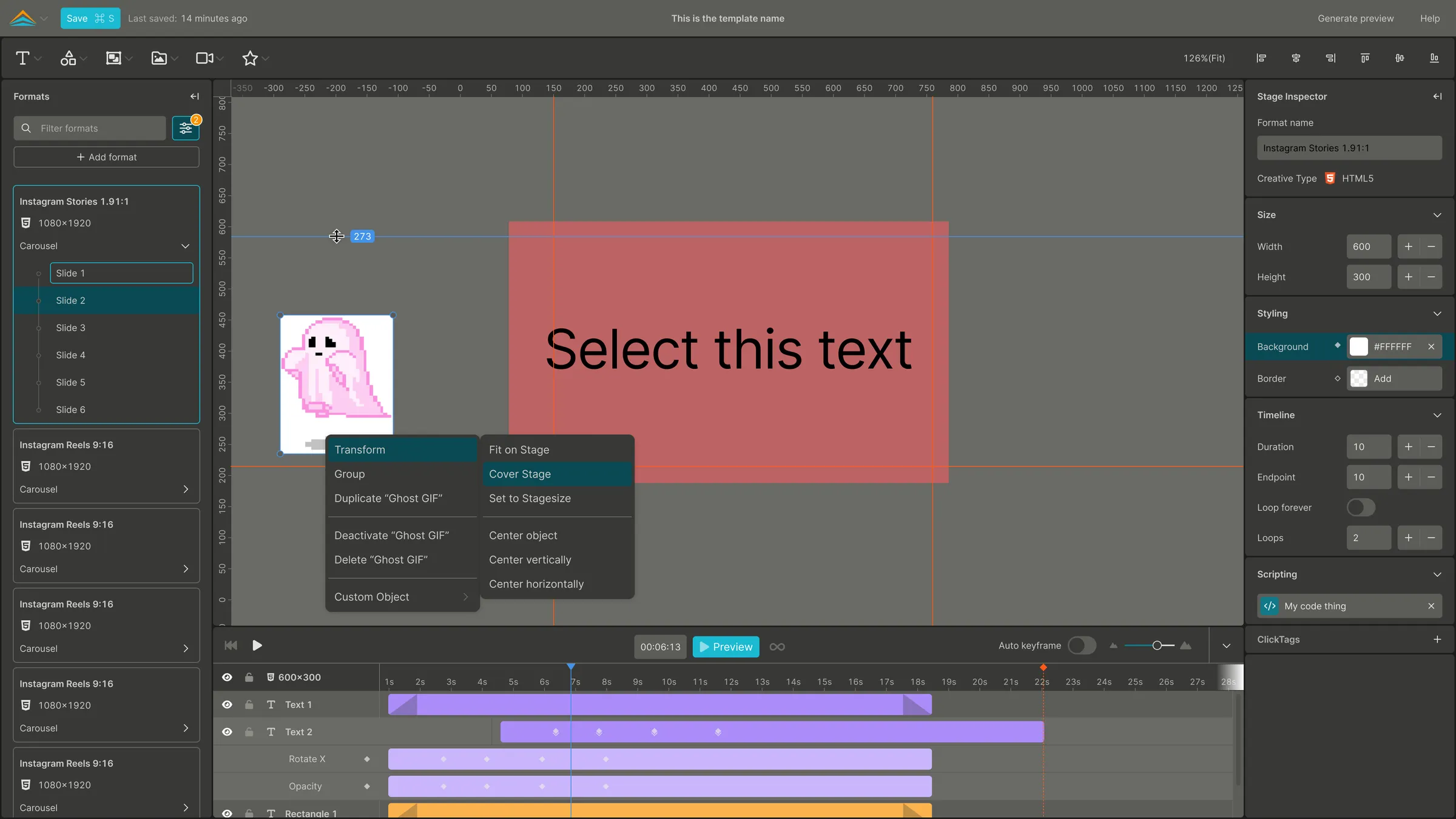
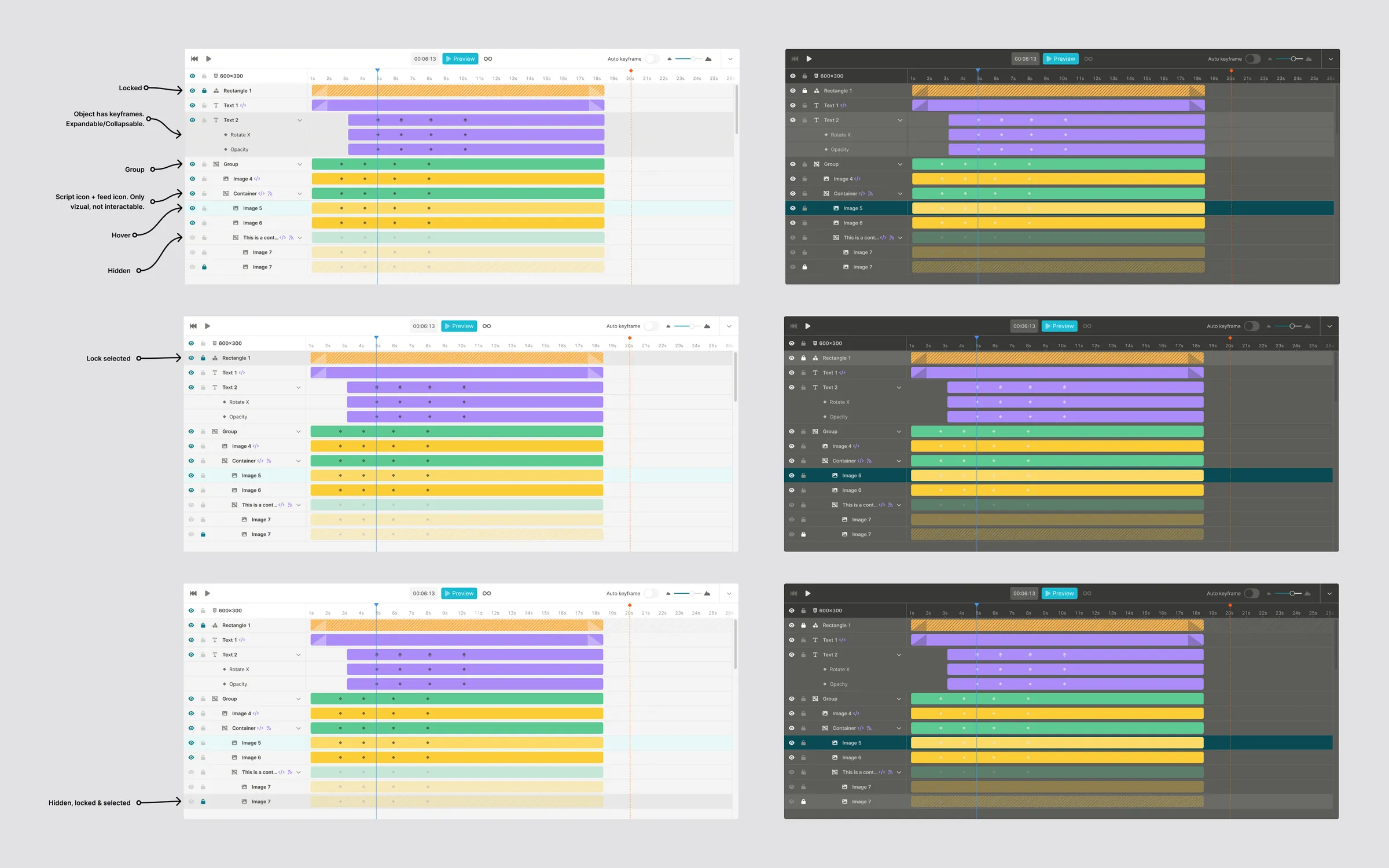
Creatives spend their days in design tools, so Ad Builder should behave like one. Pan, zoom, select and rotate on the canvas. A timeline with keyframes for animation. A format list you can search and filter when one template has to work across many sizes and markets. A calmer inspector, assets right inside the editor and a proper script editor for custom code. In light mode and dark mode.
A library to build it from
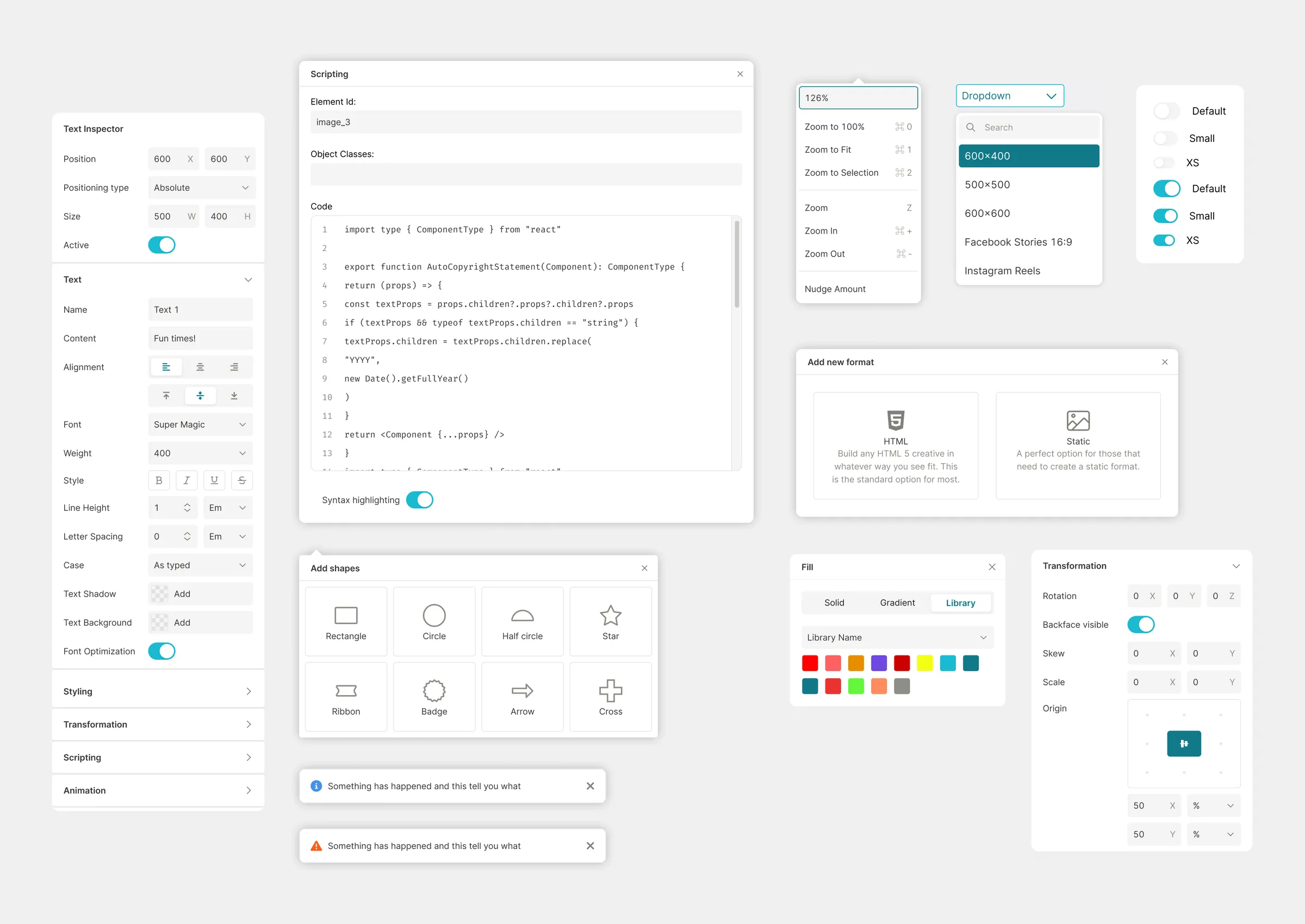
All of it is made from a component library in Figma: buttons, inputs, toggles, dropdowns, popovers, toasts, dialogs, the color picker, the timeline and the rest. Ad Layer’s developers built Ad Builder from it, and the result sits very close to the design. When feedback came in, I refined the components in rounds through 2025.
Launched
Ad Builder 2 launched in June 2026. The response has been very positive: very few support tickets, and one customer got going without any training at all. Ad Layer put it like this: “Amazing work, we feel lucky having had you help with this project!”
The demo ad in my prototype? A DeLorean, naturally.
- End product
- Ad editor & component library
- Platform
- Web
- Technology
- Figma
- Year
- 2023–2025
- Visit
- adlayer.se ↗
 All work20 projects since 2018, more on the way